Browser-based renter flow
H5 Shared Power Bank Rental Platform for QR Scan-to-Rent
CoreCharge Cloud provides an H5 shared power bank rental flow that opens in a mobile browser after a user scans the station QR code. The flow can show rental rules and pricing, send the user into the configured payment-authorization path, request a power-bank unlock, display the active order and guide the return or refund-support process. Operators manage the same orders, devices and support states from the SaaS dashboard. Final payment methods and white-label scope are confirmed for each market and project.
For shared power bank operators, agents and local brand teams. This is not a retail power bank checkout page.
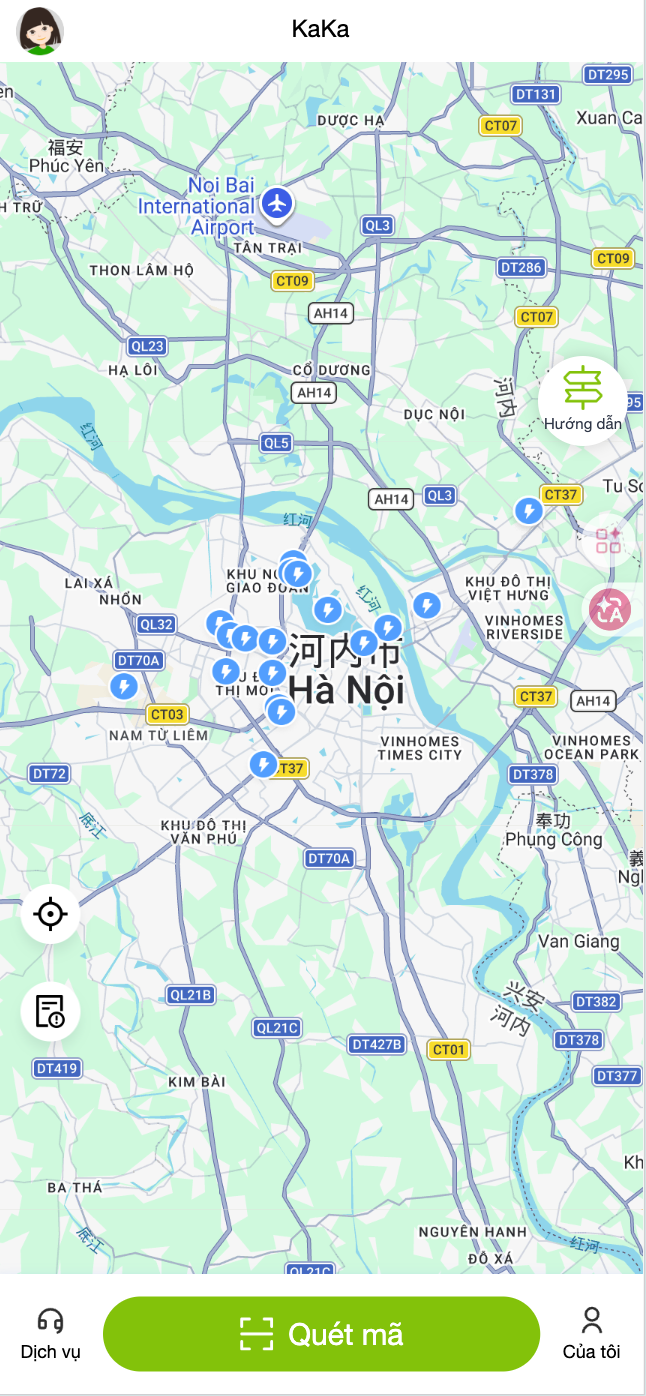
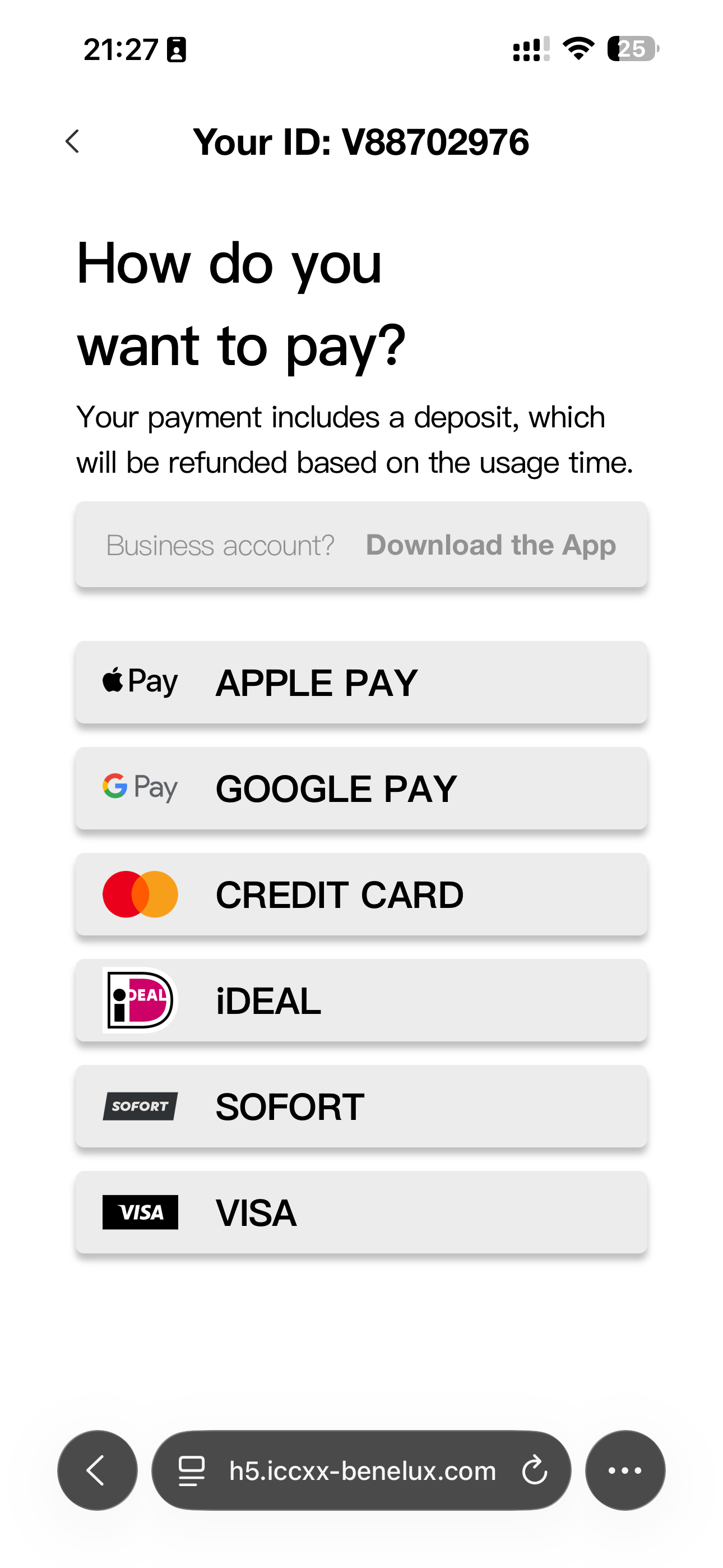
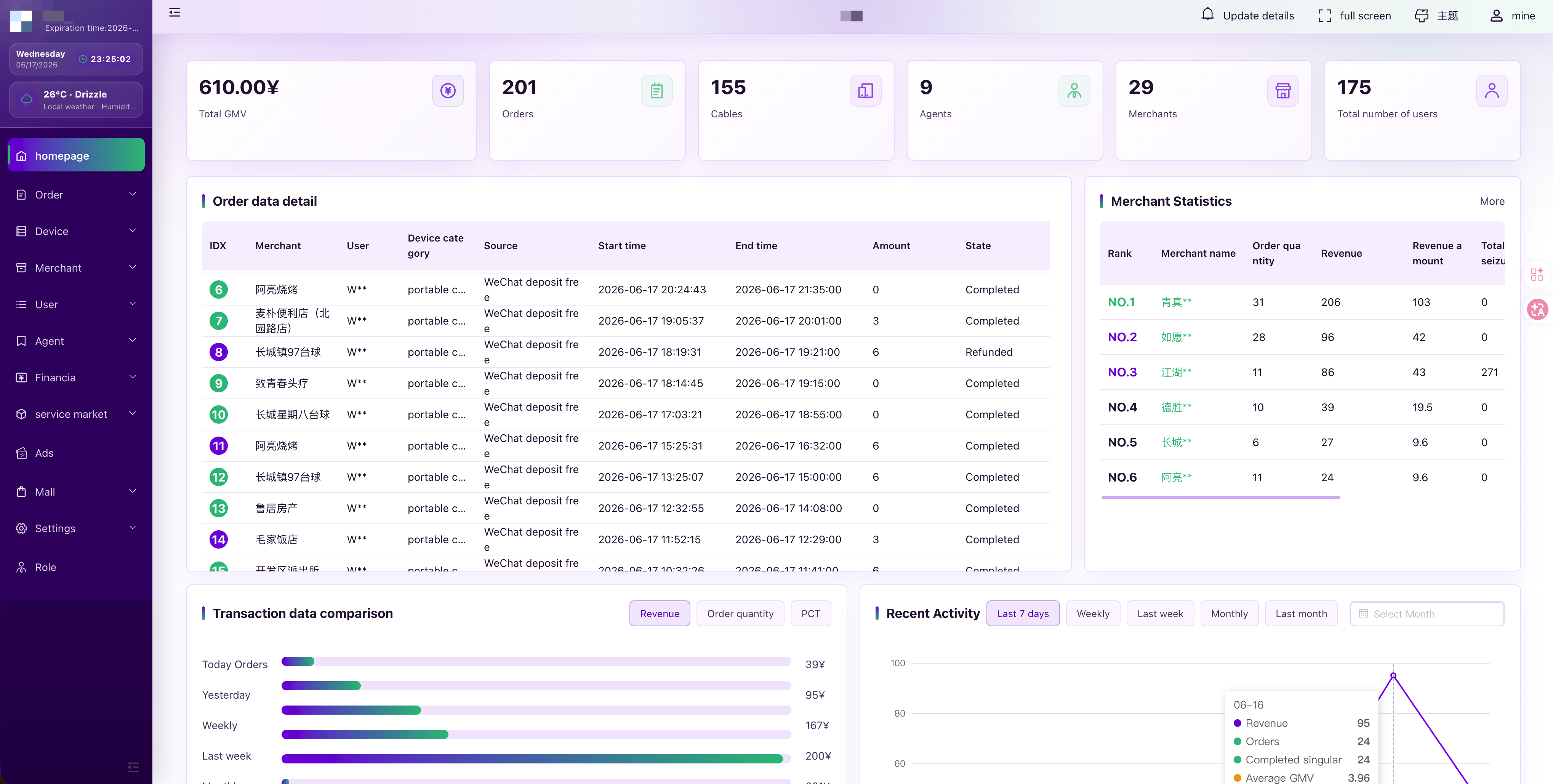
Rent flowPayment optionsMerchant operations
A renter-facing web application, connected to the operating system.
H5 is a mobile web route rather than an App Store download. It can reduce the first-use barrier for a venue pilot, while the operator still needs a configured station, order service, payment-provider path and support workflow behind the page.
The browser flow is only one side of the operating loop.
Device stateReview station connectivity and available power banks from device reports. Automatic email/push offline alerts are not currently included in the standard service.
Order stateFollow authorization, unlock, active rental, return and exception states from the same operating layer.
Merchant and agent rolesPlan access for operator, merchant, agent and support users without exposing every function to every role.
Support and refundsGive support teams the order and device context needed to review a return or refund request.
Use a browser route for lower first-use friction.
Suitable when a pilot needs QR access without requiring every renter to install an app. Provider compatibility and browser behavior still need project review.
Use an App when the operating model justifies it.
A branded App can support repeat-use journeys and store discovery, but introduces store, update and maintenance work that an early pilot may not need.
Keep H5 entry while preparing an App path.
Operators can preserve QR browser access and later add an App where market behavior, support capacity and brand plans support the extra scope.
Branding and payment availability are confirmed, not assumed.
Selected logo, colors, language, rental copy and support entry can be reviewed as part of the white-label scope.
Authorization, deposit, settlement and refund behavior depend on the selected provider, target market and approved integration plan.
QR identity, station protocol and unlock behavior must match the compatible station model and project configuration.
Review browser-based rental entry patterns without inferring a customer relationship.
Public H5 route example
This independently accessible route is linked only as observable browser-flow evidence. CoreCharge Cloud does not assert that the brand is a customer or partner.
Open public routePublic payment-flow route
This link points to an independently visible web route. It is not a customer, provider, download or partnership claim, and payment availability still requires project review.
Open public routeWhat an operator should prepare for an H5 flow review.
Market and languageTarget country, renter language, venue type and the intended first city or operating cluster.
Station and protocolStation model, QR identity, communication protocol and power-bank return behavior.
Rental rulesPricing logic, rental duration, return rules, support escalation and refund review expectations.
Payment pathSelected provider, onboarding status and the desired authorization, settlement and refund sequence.
Follow the H5 flow through payment, unlock, return and refund-support evidence.
Use readable business states and redacted records for positive and failure scenarios. A passed UAT does not establish provider approval or guarantee a refund outcome.
Does an H5 rental flow require an App download?
No. H5 opens in a supported mobile browser after the renter scans a station QR code. The configured payment and authorization path may still depend on the selected provider and market.
Can the H5 interface use an operator's brand?
White-label planning can cover selected colors, logos, renter copy and support entry. Final scope depends on the agreed software, hardware and deployment requirements.
How does H5 connect to the operator dashboard?
The renter flow creates and updates order states that operators review through the CoreCharge Cloud SaaS dashboard alongside device, merchant and support information.
Are local payment methods automatically available?
No. Payment methods, authorization behavior, settlement and refund handling must be reviewed with the selected provider for the target market and project.
Guest rental, privacy and service interruptions
No app download or manual profile registration does not mean that the rental operates without data.
What does the guest H5 flow remember?
The standard guest H5 flow uses visitor/browser identifiers, access tokens and rental records, and may create a technical guest account. Browser fingerprinting is part of the current default browser/visitor identification configuration. History and spending can be associated with a recognised identifier; recognising the same person across browsers, devices or physical-card flows is not guaranteed. The phone needs enough power and connectivity to open the browser and complete payment.
Can charging read photos, contacts or phone files?
Our supplied charging hardware provides power without transferring customer phone data. The standard rental flow does not require access to photos, contacts, messages or phone files. This is a supplier confirmation, not an independent certification of every model or third-party accessory. The station separately communicates its own rental and operating information.
What payment information does CoreCharge process?
In the standard Stripe integration, sensitive card credentials are handled by Stripe payment interfaces or Terminal infrastructure. CoreCharge uses payment references, amounts, currency and authorisation/capture/refund status. Limited details such as card brand, last four digits or receipt/contact information may also be returned. This is payment-data processing, not access to full card credentials.
Who can access records, and where are they hosted?
Operators and authorised technical support can access relevant rental, payment-status and equipment records according to their roles and support tasks. Remote controls apply to rental equipment, not the customer’s phone. Standard production hosting is in Singapore, with authorised support access from China and necessary service-provider processing. Entrusted rental-customer datasets are not sold or used for unrelated CoreCharge advertising. Review the linked Privacy Policy and DPA; a public DPA is a standard review text, not automatically a signed agreement for every deployment.
What happens if a station loses both Wi-Fi and mobile data?
New online rentals require power, network access and the rental service to be available. When a station reconnects, inventory reports help identify returned banks and close matching orders. Interrupted rentals and disputed charges can still need review. This is not real-time offline payment processing or a guaranteed recovery time.
Review an H5 rental flow for your target market.
Send the station model, target market, payment-provider path and preferred renter journey. We will identify the software, device and integration questions for a controlled pilot.
Last reviewed: 20 October 2026.
Content reviewed: 20 October 2026